2. Report creating process
2 minute read
If you print a report, LogiKal creates a sqlite-file into a temporary folder. There are two main options, which are effecting the output of the database.
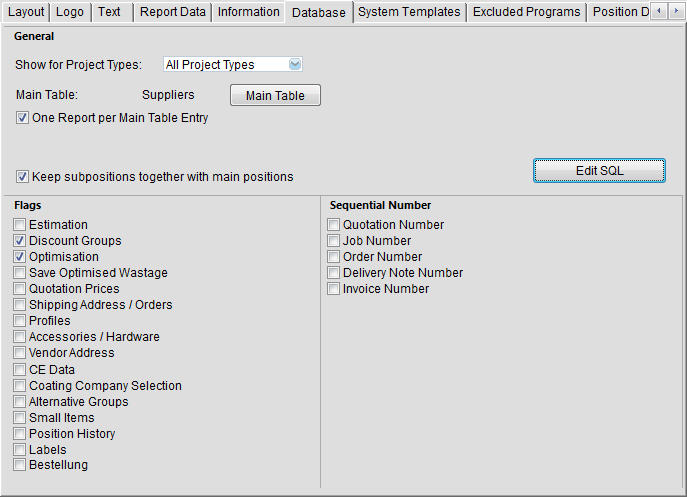
Database-Flags
Choose the right flags at “Settings” + “Reports” on sheet “database”
SQL-Statement
You can define a sql-statement at “Settings” + “Reports” + sheet “database” with “Edit SQL”. Please also check the tables you need on the right side. This will only fill the used tables in the database and speed up the database creating duration.
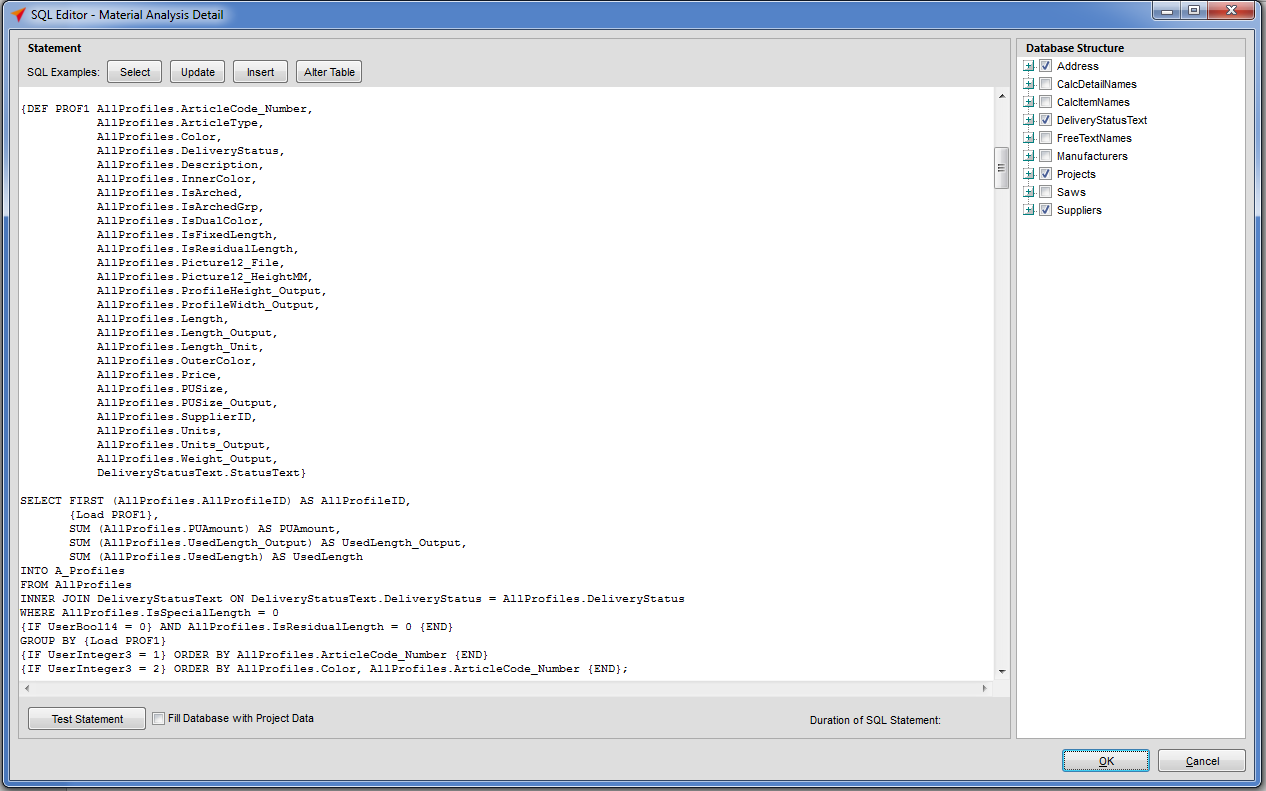
In the sql-statement you can use some functions to be more flexible with the script:
| Function | Description | Sample |
|---|---|---|
| {IF} {ELSE} {END} | Can be used with all fields from the table ReportVariables. | {IF UserVars.UserBool12 = 0} UPDATE AllProfiles SET AllProfiles.SupplierID = 1; {ELSE} UPDATE AllProfiles SET AllProfiles.SupplierID = 2; {END} SELECT FIRST (AllProfiles.AllProfileID) AS AllProfileID, AllProfiles.PUAmount INTO A_Profiles FROM A_AllProfiles WHERE AllProfiles.IsSpecialLength = 0 {IF UserBool14 = 0} AND AllProfiles.IsResidualLength = 0 {END} |
| {DEF} {LOAD} | Use DEF to define a part off the script, which you want to use several times. With LOAD you the DEF-part will be used. | {DEF PROF1 AllProfiles.ArticleCode_Number, AllProfiles.Description, AllProfiles.Price, AllProfiles.SupplierID} SELECT FIRST (AllProfiles.AllProfileID) AS AllProfileID, {Load PROF1} INTO A_AllProfiles FROM AllProfiles WHERE AllProfiles.IsSpecialLength = 0 GROUP BY {Load PROF1} |
| {ECHO} | With ECHO you can load text from UserStrings to the SQL-script. | SELECT SubProfilesView.ArticleCodeProfile, SubProfilesView.Isolator INTO A_SubProfiles FROM SubProfilesView IN “{ECHO UserVars.UserString3}”; |